

QuickBooks, syncedboth ways with every load
UltraShip and QuickBooks stay in two-way sync. Invoices, carrier bills and payments created in UltraShip land in QuickBooks, and what changes in QuickBooks flows back to UltraShip. Your books and your loads always match, and nothing is entered twice.
 QuickBooks
Does UltraShip integrate with QuickBooks?
Yes, in both directions. UltraShip builds invoices and carrier bills from the load and syncs them to QuickBooks, and payments and changes recorded in QuickBooks sync back to UltraShip. Accounting and operations work from the same numbers, so nothing is keyed twice. One customer cut its invoicing routine from eight manual steps to three.
AT A GLANCE
- ✓Two-way sync: UltraShip → QuickBooks and QuickBooks → UltraShip
- ✓Invoices, carrier bills and payments, all tied to the load
- ✓No UltraShip fee for the QuickBooks integration
Your books and your loads, always in step
Invoice straight from the load
Shipper rate, accessorials and load details become the invoice. Send it to accounting in one click when the POD is in.
Sync both ways, automatically
Invoices, carrier bills and payments move from UltraShip to QuickBooks and back, so your accountant and your ops team see the same numbers.
Margin and commission per load
Shipper rate, carrier cost, commission and profit margin sit live on every load, with AR and AP tracked per shipper and carrier.
From delivered load to synced books
Screens from UltraShip, shown with demo data.
Deliver the load
Rates and accessorials like lumper charges sit on the load's Rates tab. When the POD arrives, send the load to accounting in one click.

Invoice and bill from the load
The shipper invoice and the carrier bill are created from the load, with invoice status and margin on the accounting view.
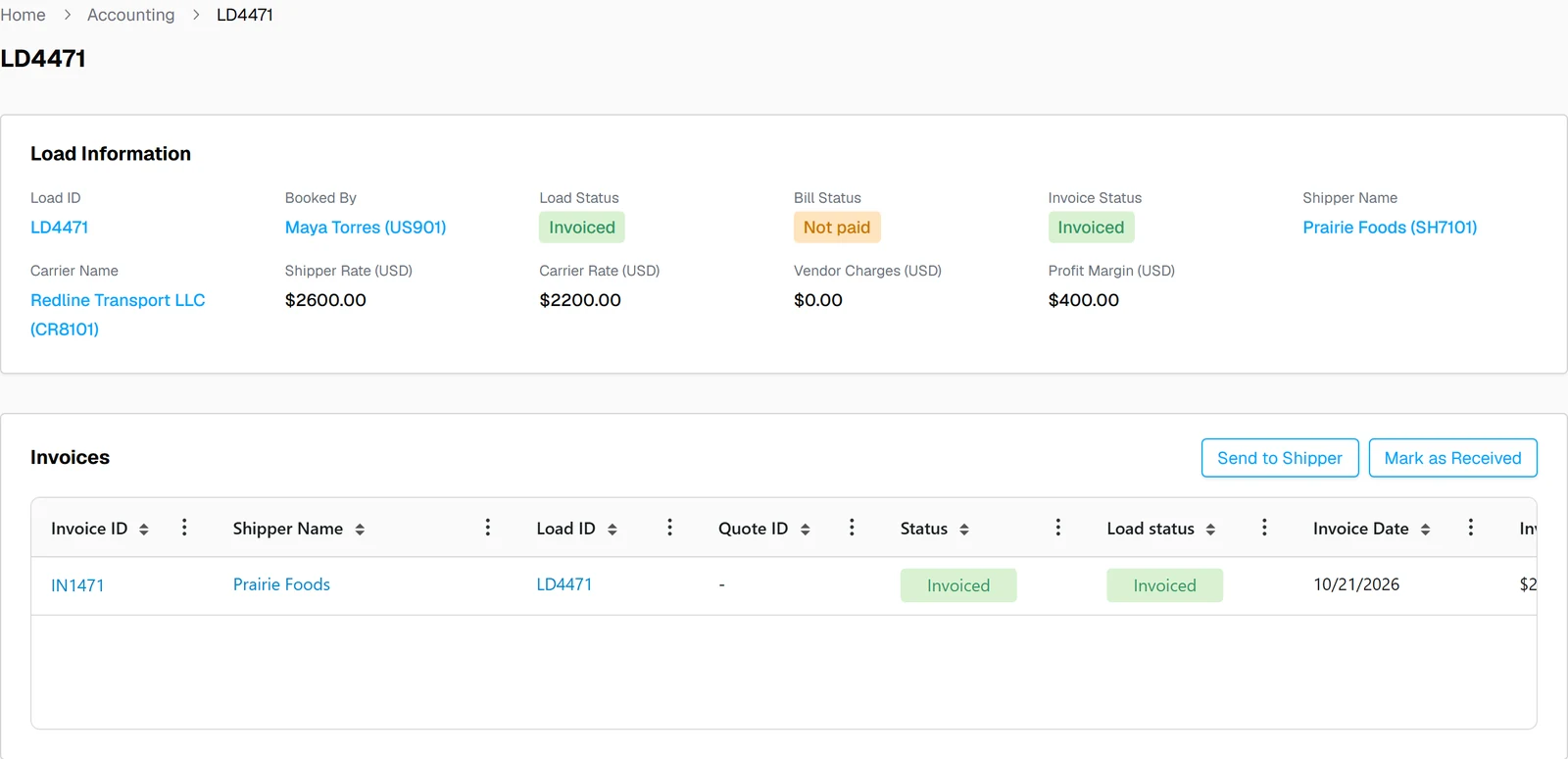
QuickBooks stays in sync
Invoices, bills and payments sync to QuickBooks, and updates made in QuickBooks sync back. Your accountant keeps working in QuickBooks.
What moves between QuickBooks and UltraShip
| Data | Direction | Where you see it |
|---|---|---|
| Shipper invoices | UltraShip ⇄ QuickBooks | Two-way sync |
| Carrier bills | UltraShip ⇄ QuickBooks | Two-way sync |
| Payments | UltraShip ⇄ QuickBooks | Two-way sync |
| Margin, commission, AR and AP by load | Built in UltraShip | Accounting view of the load |
What changes for your brokerage
Without the integration
- ✕Retype every invoice and bill into QuickBooks
- ✕Reconcile payments between two systems
- ✕Margin per load in a spreadsheet
With QuickBooks in UltraShip
- ✓Invoices and bills built from the load
- ✓Two-way sync keeps both sides current
- ✓Margin and commission live on every load


QuickBooks integration questions
Does UltraShip integrate with QuickBooks?
Is the QuickBooks sync one-way or two-way?
Do I have to re-enter invoices in QuickBooks?
Can I see margin per load?
Do I need QuickBooks to use UltraShip?
Is there a fee for the QuickBooks integration?
See the two-way QuickBooks sync on your own loads
A 15-minute demo, from delivered load to synced books.