

Trucker Tools tracking,on the load record
Trucker Tools integrates with UltraShip so live tracking updates flow onto the load record from pickup to delivery. Your team and your shippers see where the freight is without another login or another check call.

Does UltraShip integrate with Trucker Tools?
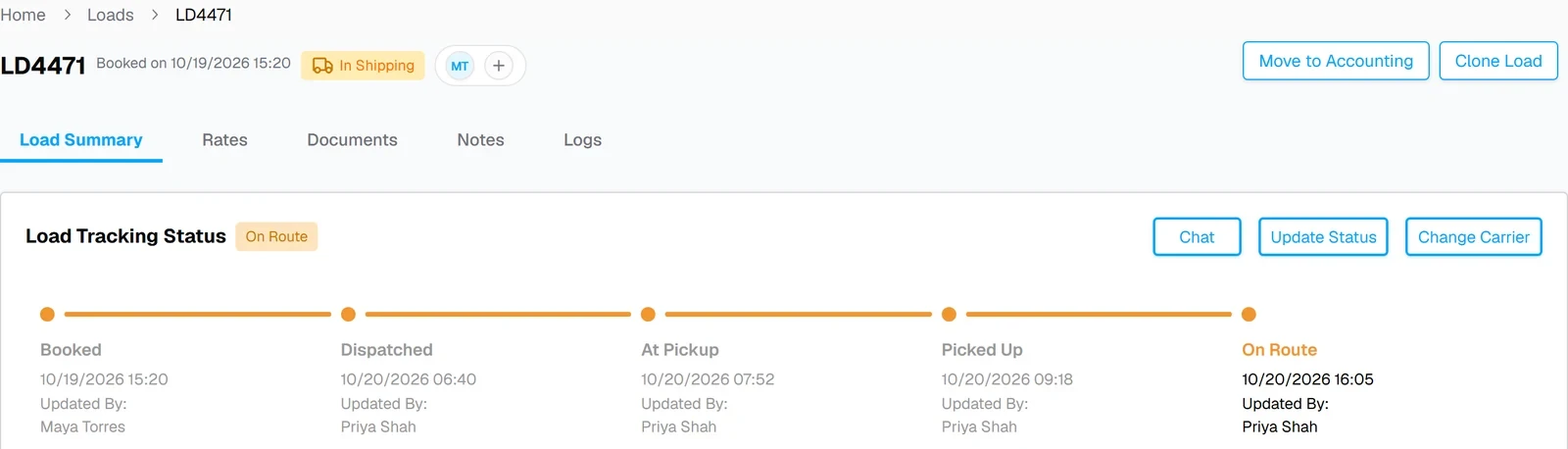
Yes. Trucker Tools integrates with UltraShip so tracking updates flow onto the load record. The load's tracking timeline moves from Booked to Dispatched, At Pickup, Picked Up and On Route, so the team and the shipper can see where the freight is without check calls.
AT A GLANCE
- ✓Tracking updates flow onto the load record
- ✓No separate tracking login for the team
- ✓Fewer check calls to carriers
Know where every load is
Updates on the load
Trucker Tools tracking updates land on the load record, not in a separate app.
A clear timeline
Booked, Dispatched, At Pickup, Picked Up and On Route, each with a date and time.
Answer shippers fast
Your team sees the latest status where they already work, so the shipper gets an answer without a check call.
How Trucker Tools works in UltraShip
Screens from UltraShip, shown with demo data.
Book the carrier
Assign the carrier on the load and send the rate confirmation.

Tracking flows in
Trucker Tools updates move the load's tracking timeline forward.
Deliver and invoice
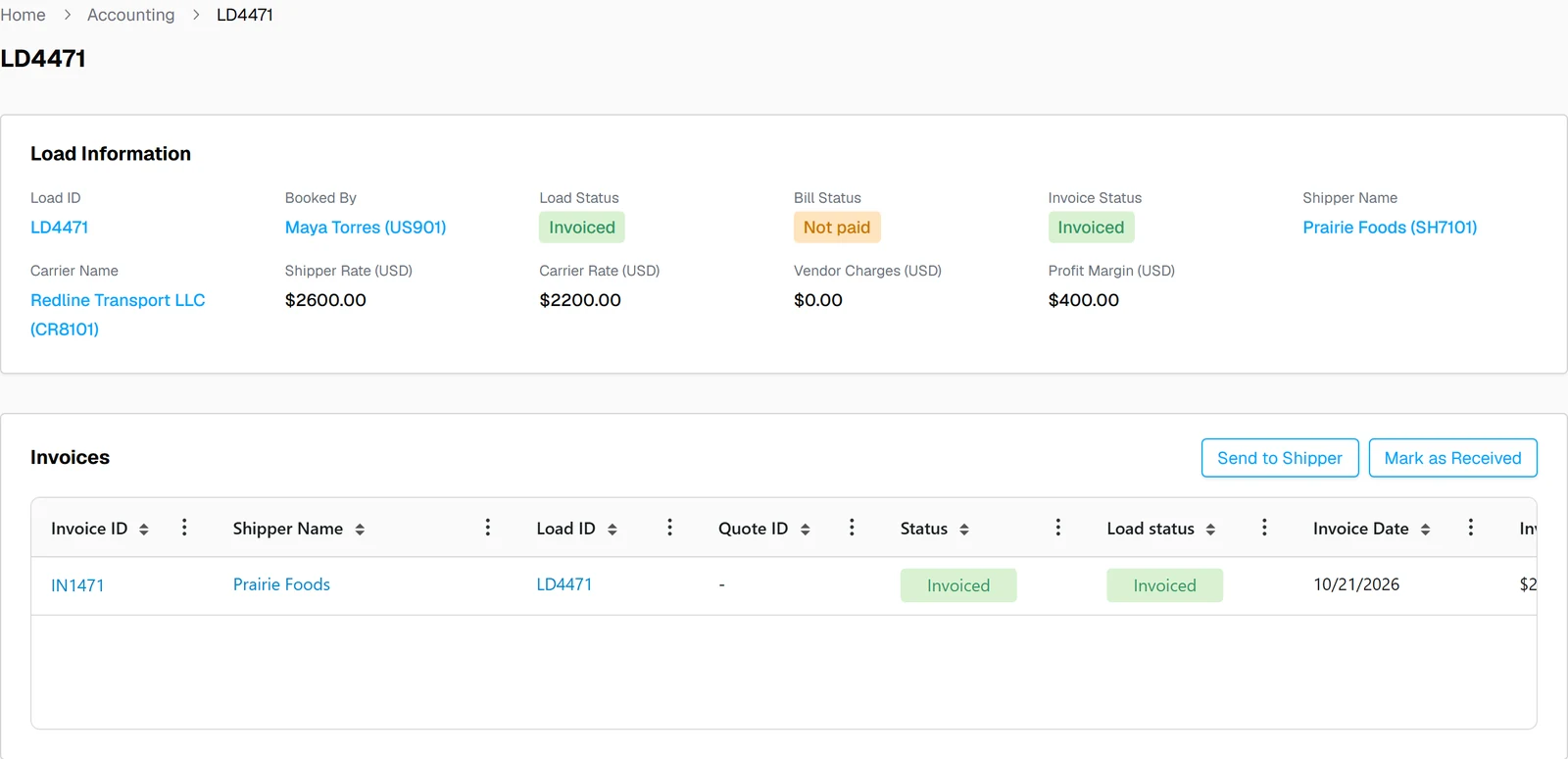
Delivered loads move to accounting, with documents and invoice on the same record.
What moves between Trucker Tools and UltraShip
| Data | Direction | Where you see it |
|---|---|---|
| Tracking updates | Trucker Tools → UltraShip | Load tracking timeline |
| Load and carrier details | Stays in UltraShip | The load record |
| Status for your team and shippers | Shown in UltraShip | Load Summary |
What changes for your brokerage
Without the integration
- ✕Check calls for every load
- ✕Tracking in a separate login
- ✕Shippers waiting for an update
With Trucker Tools in UltraShip
- ✓Updates flow onto the load
- ✓One place to check status
- ✓Faster answers to shippers

 QuickBooks

Trucker Tools integration questions
Does UltraShip integrate with Trucker Tools?
Where do I see tracking in UltraShip?
Do I still need to log into Trucker Tools?
Does UltraShip also work with MacroPoint?
Do I need my own Trucker Tools account?
See tracking on your own loads
A 15-minute demo, from booked to delivered.