

MacroPoint visibility,on every load
Descartes MacroPoint connects to UltraShip so location and status updates land on the load record, keeping tracking, exceptions and customer updates in one place for your team.

Does UltraShip integrate with MacroPoint?
Yes. Descartes MacroPoint connects to UltraShip so location and status updates land on the load record. Tracking, exceptions and customer updates stay in one place for the team, instead of in a separate visibility tool.
AT A GLANCE
- ✓Location and status updates on the load record
- ✓Tracking and exceptions in one place
- ✓Customer updates from the same screen
Visibility your team actually uses
Updates on the load
MacroPoint location and status updates land on the UltraShip load record.
Spot exceptions
Tracking and exceptions sit together, so the team sees problems where they already work.
Keep customers informed
Customer updates come from the same record as the load.
How MacroPoint works in UltraShip
Screens from UltraShip, shown with demo data.
Book the carrier
Assign the carrier and send the rate confirmation from the load.

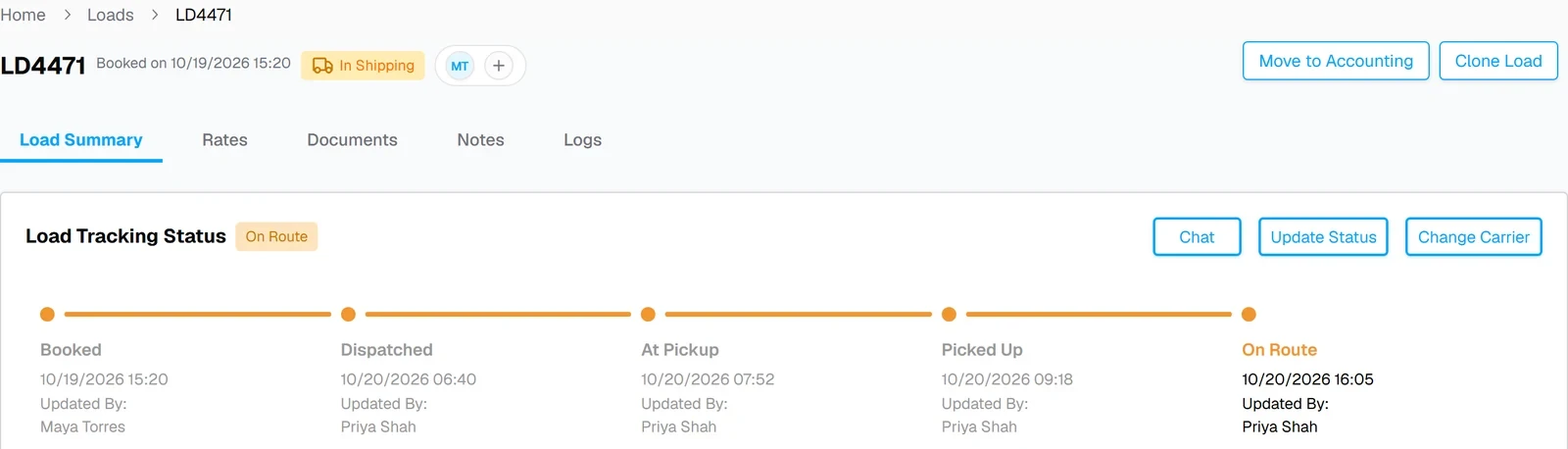
Updates land on the load
Location and status updates move the tracking timeline forward.
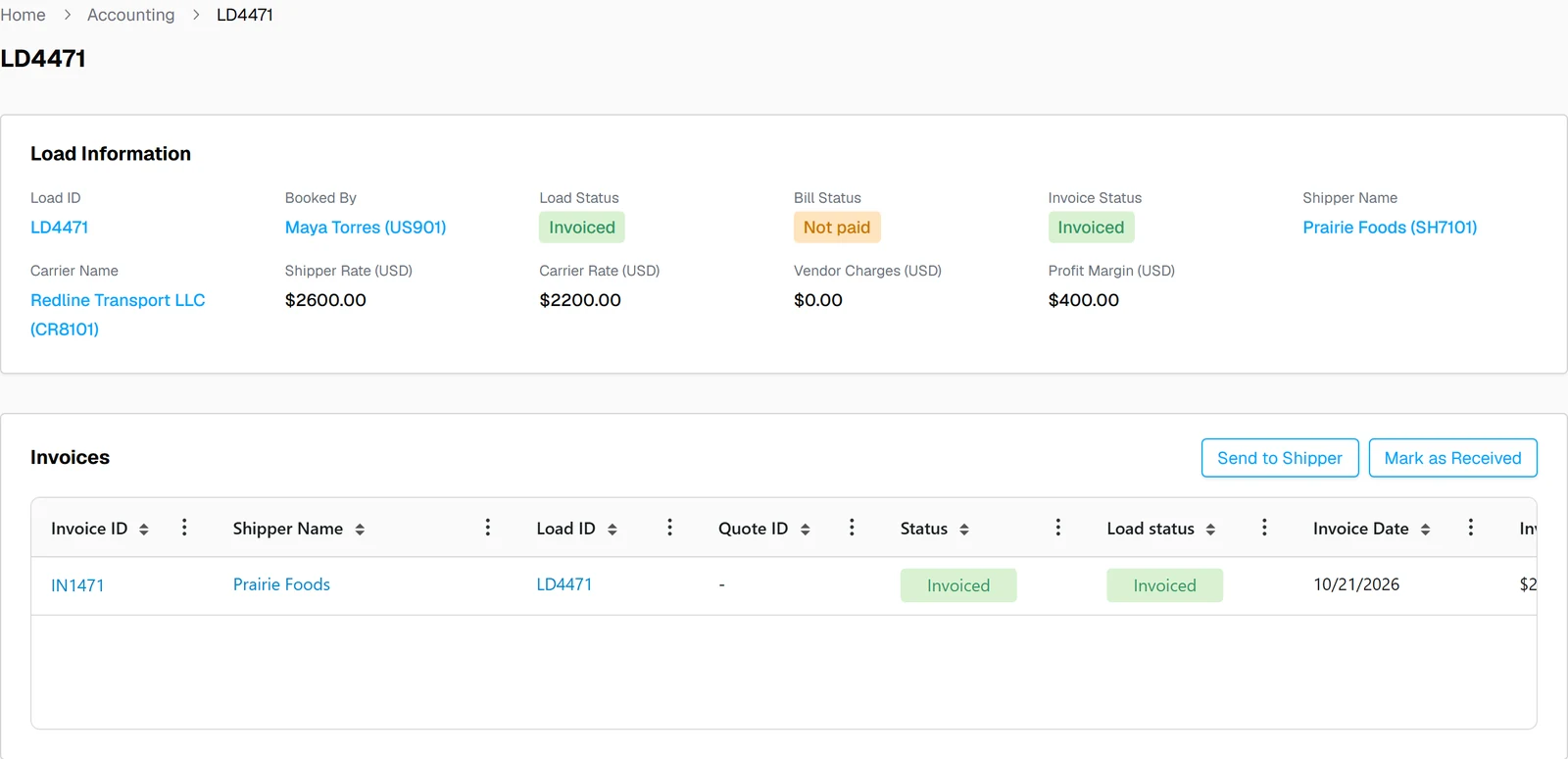
Deliver and invoice
Delivered loads move to accounting on the same record.
What moves between Descartes MacroPoint and UltraShip
| Data | Direction | Where you see it |
|---|---|---|
| Location and status updates | MacroPoint → UltraShip | Load tracking timeline |
| Exceptions | Shown in UltraShip | The load record |
| Load, carrier and customer details | Stays in UltraShip | The load record |
What changes for your brokerage
Without the integration
- ✕Visibility in a separate portal
- ✕Exceptions found late
- ✕Customer updates by phone
With Descartes MacroPoint in UltraShip
- ✓Updates on the load record
- ✓Exceptions next to the load
- ✓Customer updates from one place

 QuickBooks

Descartes MacroPoint integration questions
Does UltraShip integrate with MacroPoint?
Where do MacroPoint updates show up?
Can I use MacroPoint and Trucker Tools?
Do I need my own MacroPoint account?
See MacroPoint updates on your own loads
A 15-minute demo, from booked to delivered.