

RMIS compliance data,inside your TMS
Connect Truckstop RMIS once, and carrier details, compliance data and insurance monitoring come straight into the UltraShip carrier record. Onboard, vet and approve the carrier from UltraShip alone, without logging into RMIS.

Does UltraShip integrate with RMIS?
Yes. Truckstop RMIS connects to UltraShip, so carrier details and compliance data are pulled by MC or DOT number into the carrier record. Vetting and approval then happen on one dated record, with every change logged by date and user.
AT A GLANCE
- ✓RMIS carrier and compliance data on the UltraShip carrier record
- ✓Onboard and approve without opening RMIS
- ✓Insurance and authority monitoring on the same record
Compliance you can prove
Pull compliance data
RMIS carrier details and compliance data come into the UltraShip carrier record by MC or DOT number.
Vet in one place
Insurance, packet and risk changes sit on the carrier record, not in a separate portal.
Show the history
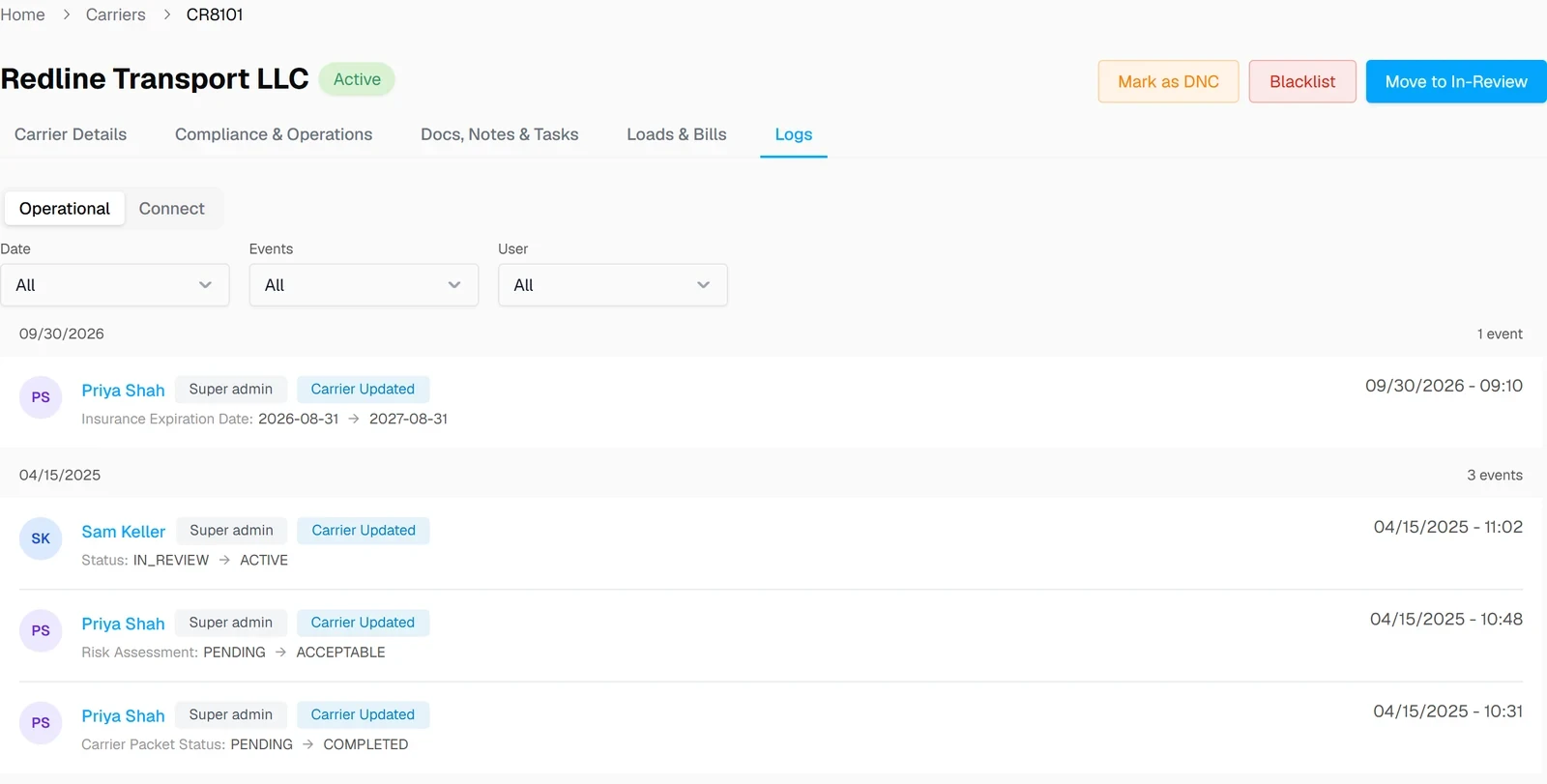
Every change is logged with the date and the user, so you can show exactly when a carrier was approved.
How RMIS works in UltraShip
Screens from UltraShip, shown with demo data.
Pull the carrier
Carrier details and compliance data come in from RMIS by MC or DOT number.
Review the packet
Signed agreement and documents sit on the carrier's Documents tab.

Approve and book
Approved carriers appear in CarrierQ™ for the lane.

What moves between RMIS and UltraShip
| Data | Direction | Where you see it |
|---|---|---|
| Carrier details and compliance data (by MC or DOT) | RMIS → UltraShip | Carrier record |
| Vetting and approval | Stays in UltraShip | Carrier record |
| Change history (insurance, packet, risk, status) | Stays in UltraShip | Carrier record, Logs tab |
What changes for your brokerage
Without the integration
- ✕Compliance data in RMIS, carriers in the TMS
- ✕Manual re-entry of insurance details
- ✕Approvals without a dated trail
With RMIS in UltraShip
- ✓Compliance data on the carrier record
- ✓One place to vet and approve
- ✓Every change dated and attributed


RMIS integration questions
Does UltraShip integrate with RMIS?
Where does RMIS data show up?
Can I use RMIS with Highway or MyCarrierPortal?
Do I need my own RMIS account?
Do I need to log into RMIS to onboard a carrier?
Does UltraShip charge for the RMIS integration?
See RMIS data inside UltraShip
A 15-minute demo of onboarding a carrier, start to approval.